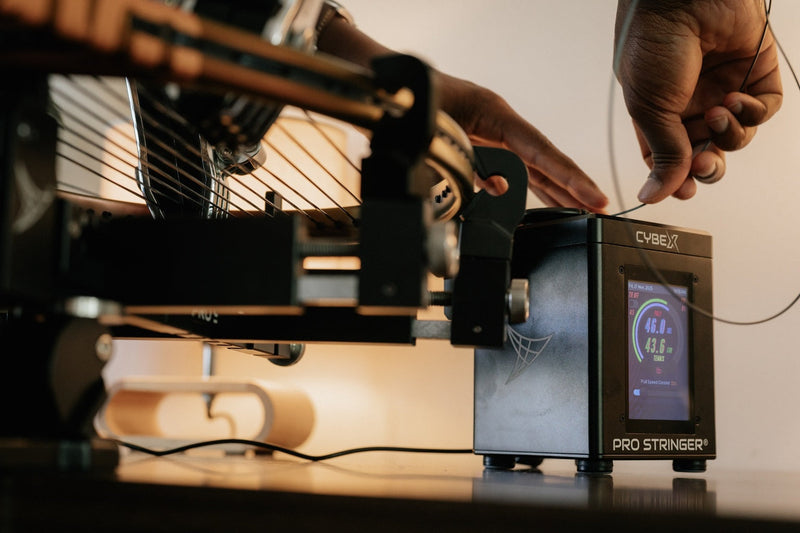
ModuleX-2 animated mounting sequence
See how the two-point mounting fits together in under three minutes. Works with CybeX and Platinum 3.0.
Watch the animationLearn. String. Play.
Start with the stringing basics, or open the dedicated Learning Center for your CybeX or Platinum machine.
Learn to set up your Pro Stringer, mount your racquet and follow a complete stringing session. Start with the guide for your machine, then explore the technique videos below. Use the string pattern and tension range specified for your racquet.
CybeX setup guide · Platinum 3.0 setup guide · Stringing articles
See how the two-point mounting fits together in under three minutes. Works with CybeX and Platinum 3.0.
Watch the animationGet to know the ModuleX-2 parts and follow the assembly step by step before you mount your first racquet.
Watch the assembly videoAdd the head supports to turn your ModuleX-2 into a four- or six-point mounting system.
Watch the conversionWatch how the mounting parts fit together before setting up your racquet.
Watch the animationFollow the full mounting demonstration. Use the supports and clamps appropriate for your machine and sport.
Watch the setup videoSee the CybeX controls and active functions demonstrated during stringing.
Watch the functions videoOpen the CybeX guide and follow the setup instructions for your mounting configuration.
Open setup guideOpen the CybeX guide and follow the setup instructions for your mounting configuration.
Open setup guideOpen the CybeX guide and follow the setup instructions for your mounting configuration.
Open setup guideOpen the Platinum 3.0 guide and follow the setup instructions for your mounting configuration.
Open setup guideOpen the Platinum 3.0 guide and follow the setup instructions for your mounting configuration.
Open setup guideOpen the Platinum 3.0 guide and follow the setup instructions for your mounting configuration.
Open setup guideFollow a complete tennis stringing session on CybeX. Use this overview after assembling your machine and checking your racquet’s stringing pattern.
Watch tutorialGet familiar with Claws 3.0 and its adjustment. Correct clamp setup is part of a repeatable stringing routine.
Watch tutorialWatch the tie-off and cross-string starting sequence. Follow your racquet manufacturer’s approved pattern and tie-off locations.
Watch tutorialUse this walkthrough for a racquet with an eight-hole throat arrangement. Identify your frame’s pattern before starting the mains.
Watch tutorialUse this walkthrough for a six-hole throat arrangement. Confirm the starting direction against your racquet’s stringing instructions.
Watch tutorialSee how the Storm Power Station fits into a portable stringing setup. Check the product instructions before connecting your equipment.
Watch tutorialFollow the badminton mounting demonstration with the equipment intended for badminton. Check that your supports and clamps match your sport.
Watch tutorialThe numbers describe the mounting support configuration. ModuleX-2 keeps the setup compact; ModuleX-6 adds support at the head and throat. Match the configuration to your machine and sport rather than assuming every option is available for every racquet.
ModuleX fits CybeX and Platinum 3.0. For badminton and squash, an X6 is used in the appropriate four-point configuration. Changing from X6 to X2 requires the correct head support; contact the team before ordering conversion parts.
Create a personalised stringing table and learn how it connects to your CybeX workflow.
Explore the optimiserVideo and step-by-step guide to re-calibrate CybeX or check your Platinum 3.0 tension.
Open calibration guideSee how Pro Stringer loads your racquet frame compared with conventional machines, based on our FEA analysis.
See the scienceInclude your machine, mounting configuration, racquet model and a description of the problem so the team can help.
Contact Pro StringerChoose CybeX or Platinum 3.0 above, then identify your ModuleX configuration. Set up the machine before moving to the full stringing video.
Check the configuration and sport-specific equipment first. Badminton and squash use the appropriate two- or four-point configuration; an X6 can be converted to its four-point configuration. Badminton also requires suitable badminton clamps.
Find the racquet manufacturer’s stringing pattern, approved tie-off holes and tension range. Keep the model-specific setup guide available and record the string and reference tension you choose.
Browse the tennis strings guide and the string tension guide. Use them to plan one controlled setup change at a time.
Keep learning
Go beyond setup with practical advice from the Pro Stringer team.
September 14, 2026
The FORUM’s Spring/Summer 2026 issue, published by Club Leaders Forum, features Rubin Statham and Pro Stringer.
Read article →August 10, 2026
Strings lose tension and feel long before they break. Learn the signs of worn strings, how material affects lifespan, and how a simple play log sets your restring interval.
Read article →August 10, 2026
One-piece vs two-piece, hybrids, pre-stretch and constant pull vs lockout explained, and why copying the pros' process beats copying their specs.
Read article →July 28, 2026
An honest comparison of stringing machine tensioners, mounting systems, clamps and portability, with a checklist of what to check before you buy.
Read article →July 28, 2026
How tennis grip sizes are labelled, how to check your fit with the handshake test, and how overgrips and heat-shrink sleeves change handle size.
Read article →July 28, 2026
Gauge is a label for string thickness that varies by brand. Learn to compare diameters in millimetres, what thickness changes, and how to test a gauge.
Read article →